
Why Booking Pages Matter for Coaches and Service Providers
Scheduling chaos can drain hours from coaches and service providers, time better spent on clients. CRM booking pages eliminate the back-and-forth emails by letting clients book directly from your availability.
- Scheduling headaches: Missed appointments and double bookings are common without a streamlined system.
- Efficient process: Clients book slots that suit them, cutting out unnecessary communication.
- Enhanced client experience: Automated scheduling boosts satisfaction by simplifying the booking process.
Booking pages are more than a calendar tool; they enhance client engagement and retention by reducing scheduling friction.
Setting Up Your CRM Booking Pages in NinjaPipe
Getting started with NinjaPipe's CRM booking pages is straightforward:
- Access the Booking Pages: Log into NinjaPipe and navigate to the booking pages section.
- Customize Your Options: Adjust your booking page to reflect your services, set time slots, and buffer times.
- Integrate with Workflows: Connect your booking page to lead capture forms for seamless information flow.
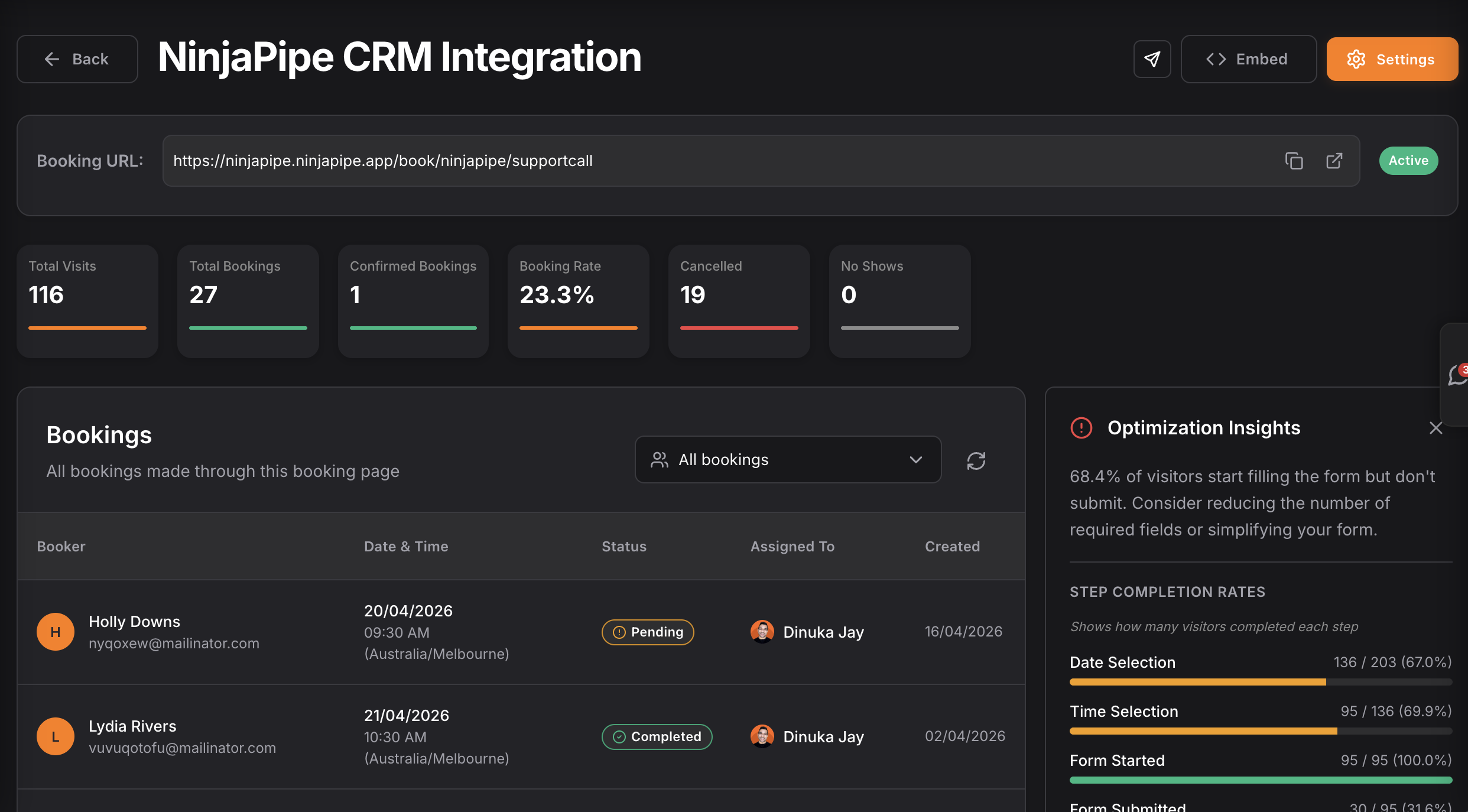
A booking page simplifies client bookings, reducing manual effort and errors.
Automate Your Scheduling Workflow
Automation is key to managing bookings efficiently:
- Follow-ups: Automate confirmations and reminders to reduce no-shows.
- CRM Automations: Use CRM automations for consistent client communication post-booking.
- Lead Capture Integration: Automatically populate client details from lead capture forms into your CRM.
Picture this: A client submits a form → gets auto-assigned → receives a follow-up email → books a slot. Minimal input from you, maximum efficiency.
Maximizing Your Calendar with NinjaPipe
Once set up, sync booking pages with your calendar:
- Real-time Syncing: Prevent double bookings with real-time updates.
- Appointment Management: Use NinjaPipe to manage appointments and set reminders.
- Best Practices: Regularly adjust availability to avoid burnout and optimize working hours.
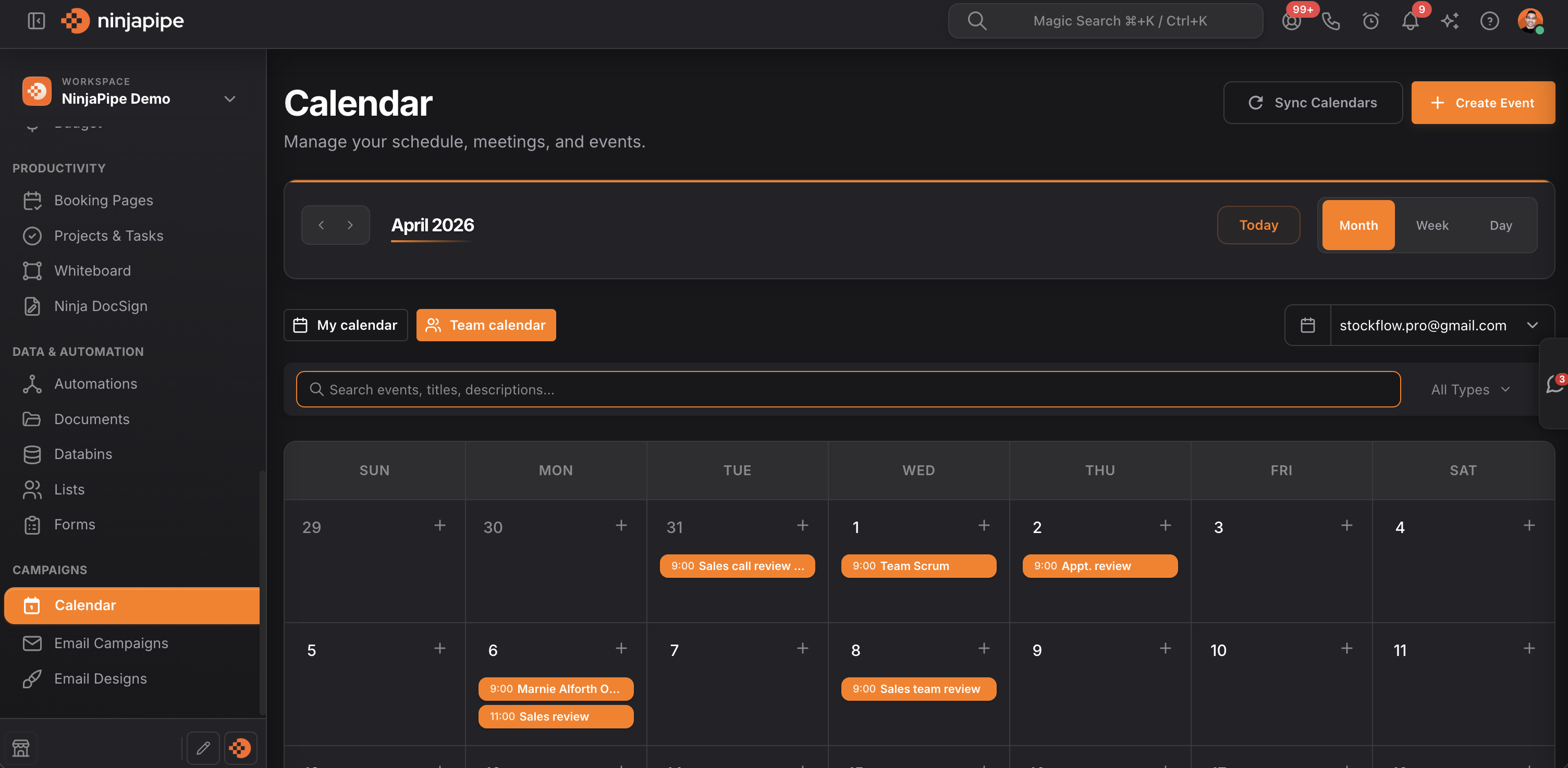
Syncing ensures your schedule is always current, letting you focus on delivering exceptional service.
Real-World Examples of Successful Booking Pages
Booking pages deliver real results:
- Success Stories: Coaches using NinjaPipe report increased bookings and client satisfaction.
- Metrics: Users see up to a 30% increase in bookings and fewer no-shows.
- Lessons Learned: Clear communication and boundaries enhance both client and provider satisfaction.
These examples show booking pages as strategic assets for business growth.
Frequently Asked Questions
What are CRM booking pages?
CRM booking pages are online tools that let clients book appointments directly, reducing back-and-forth communication.
How do I set up booking pages in NinjaPipe?
Setting up booking pages in NinjaPipe is easy; customize your availability and services in a few clicks.
Can I automate follow-ups for bookings?
Yes, NinjaPipe allows automated follow-ups for bookings, ensuring clients receive timely reminders.
How do booking pages integrate with my calendar?
NinjaPipe's booking pages sync with your calendar, providing real-time updates and preventing double bookings.
What types of services can I offer through booking pages?
Offer any service requiring appointments, like coaching sessions, consultations, or workshops.
Start freeing up your time and filling your calendar automatically with NinjaPipe. Start free → ninjapipe.com