
Automations
Automations that run when your business actually moves.
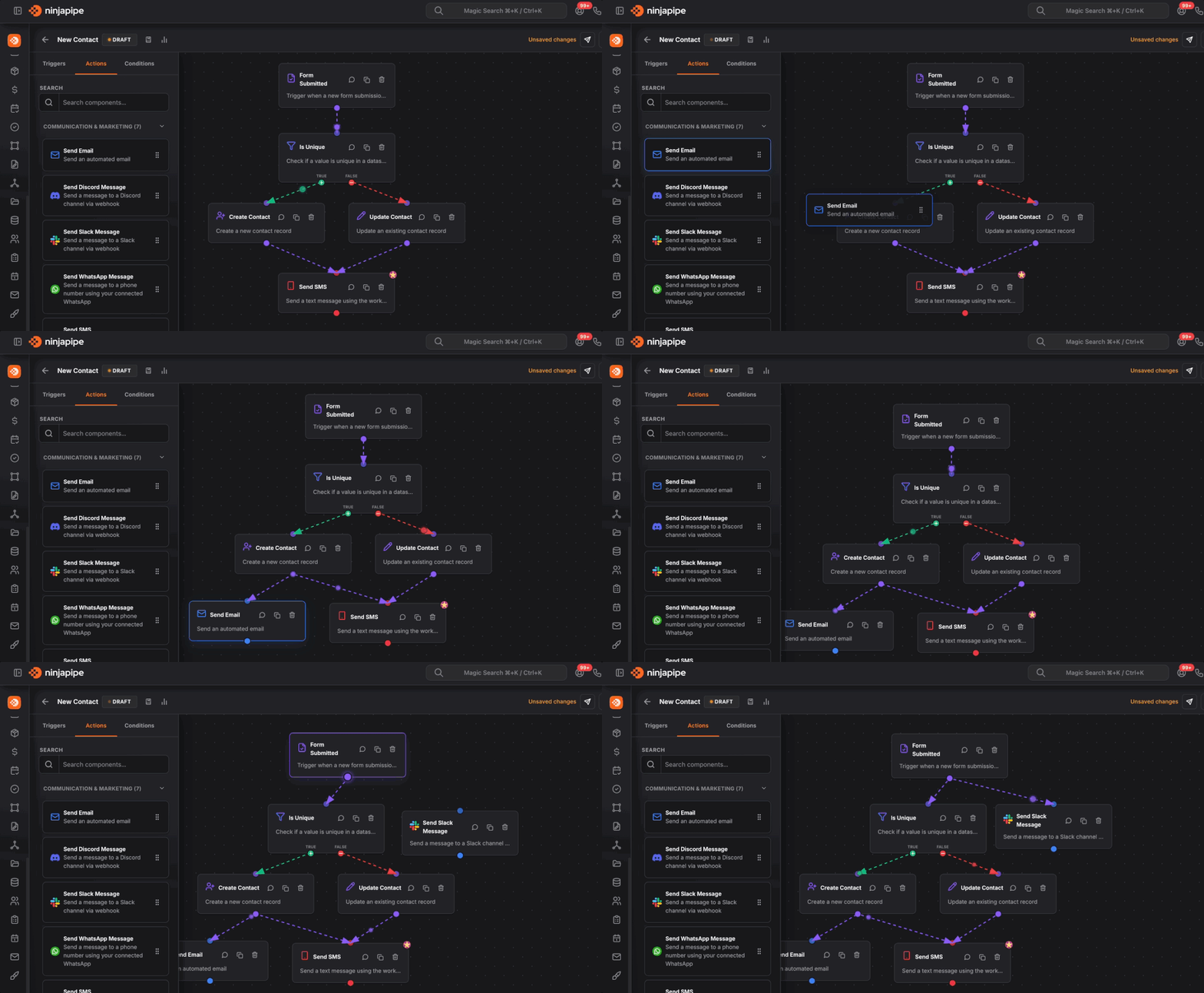
Start workflows when deals, forms, bookings, or tasks change, then drag simple steps on a canvas to send emails, create tasks, update records, and branch when the answer is “it depends.”
If you can draw the process, you can automate it.
The workflow designer is built for sales and ops teams: pick what starts the flow, add actions from a clear sidebar, connect branches for different outcomes, and turn drafts on when you are ready, no engineering degree required.
Starts with real events
Triggers when contacts, deals, pipelines, or forms change
Kick off a workflow when someone submits a form, a deal enters a stage, a booking is booked or cancelled, a task is completed, an invoice is paid, and many other CRM moments, so automation follows your process, not a generic template.
A map, not a maze
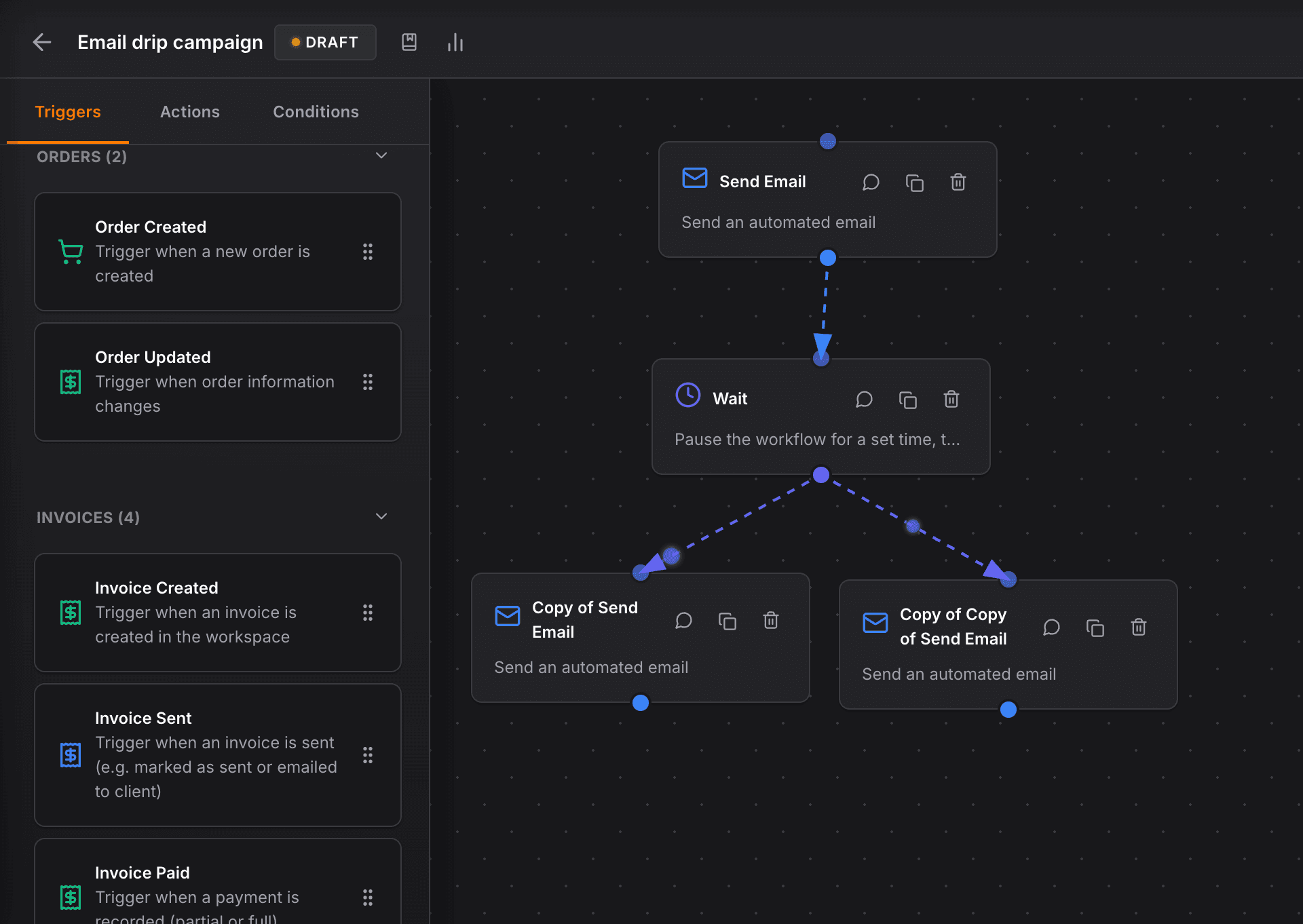
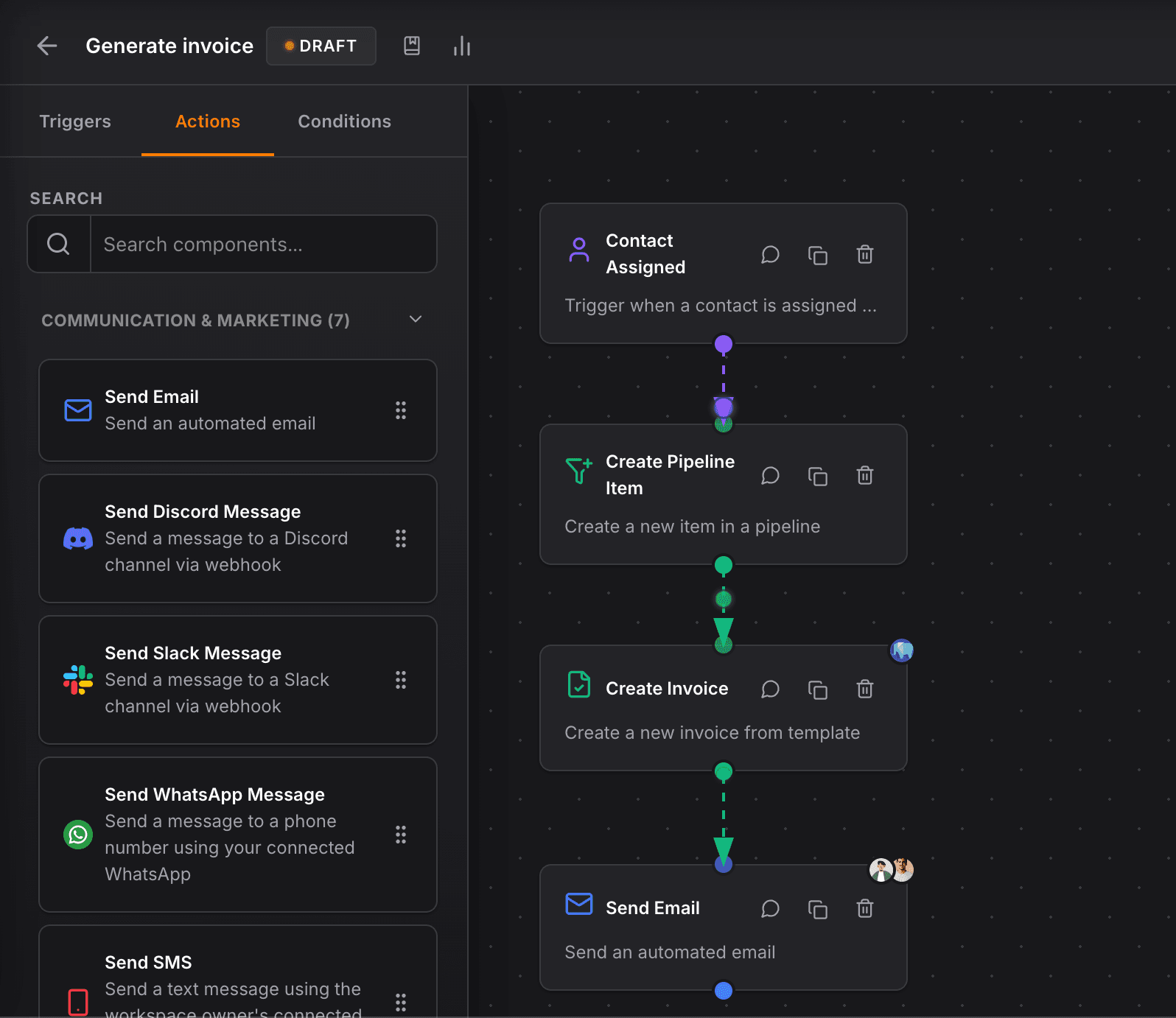
Visual canvas: drag steps, connect lines, split when you need “if / else”
Lay out your automation like a flowchart on a canvas. Add steps from grouped actions, communication, contacts, pipelines, deals, tasks, billing, and flow control, so the whole team can see what happens next.
Actions that matter
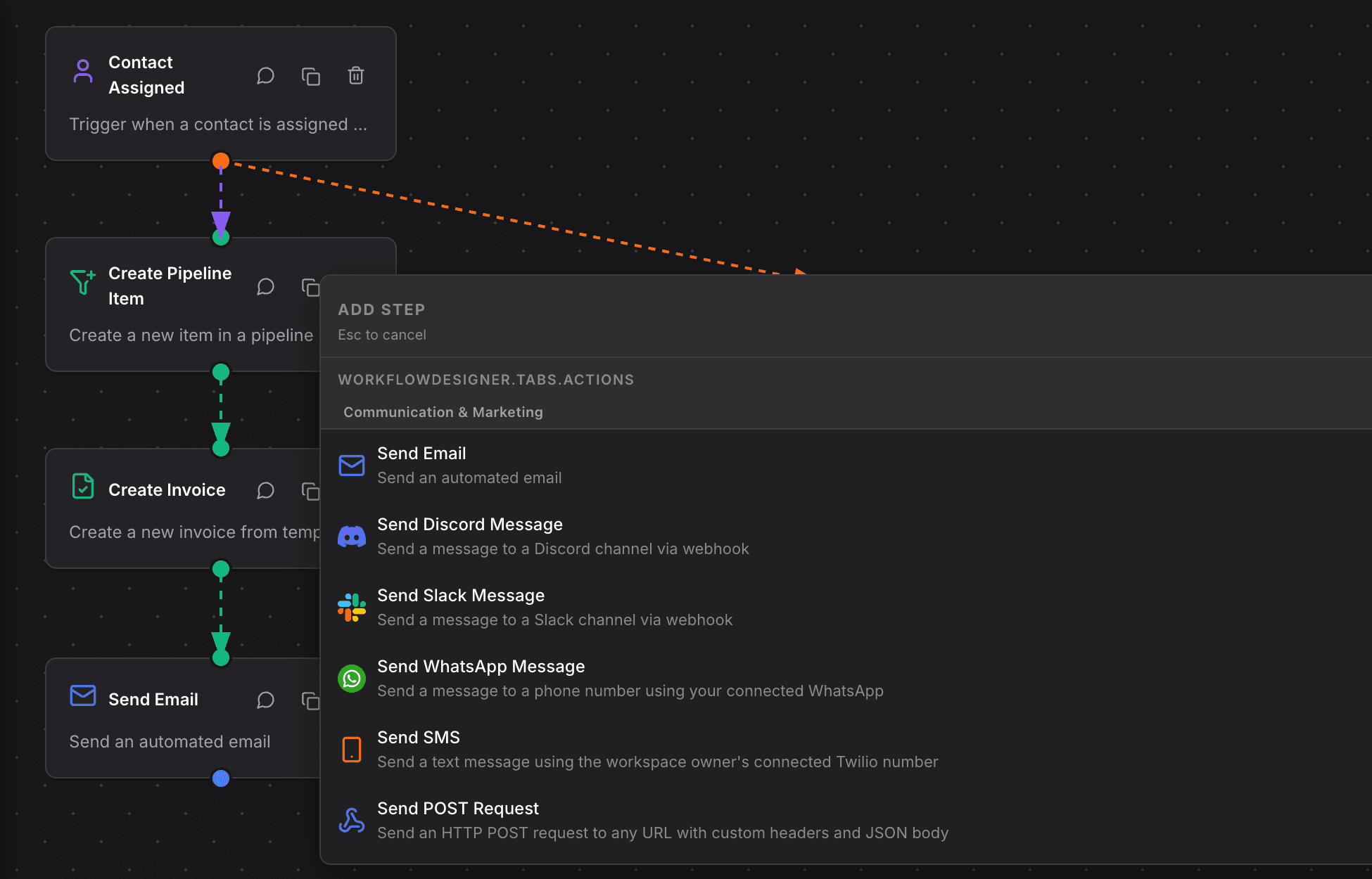
Send messages, create tasks, update fields, wait, and more
Each step can do concrete work: email or message people, create or assign tasks, move pipeline items, update values, wait for a delay, or branch on conditions, chained together so follow-up is consistent every time.
Trust but verify
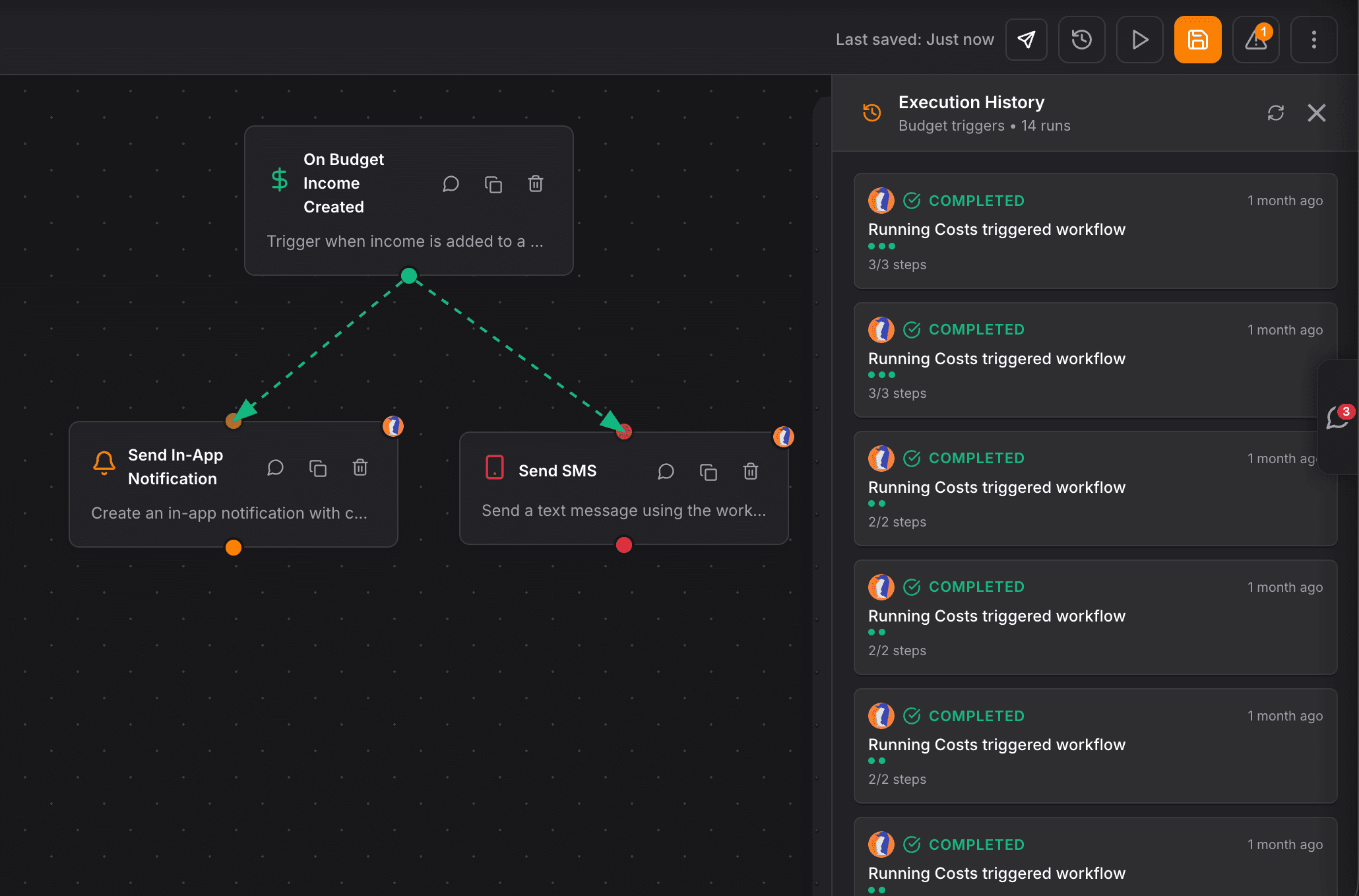
Drafts, history, and reruns when something needs a second chance
Keep workflows in draft until you are confident, review what ran and when, and dig into past runs when you need to fix a step, so automations stay helpful instead of mysterious.
A reliable CRM for my law firm, clear interface, regular updates, and performance that matches how legal practice actually works day to day.


CEO · Leggado.Digital