
Why CRM Document Signing Matters
Managing contracts can be chaotic when juggling multiple platforms. Downloading, emailing, and waiting for a client to print, sign, and scan is a time sink. This scattershot approach risks losing deals. CRM document signing centralizes your workflow, allowing you to send, sign, and track contracts from your CRM. With tools like Ninja DocSign, you reduce turnaround time, ensuring deals close faster.
How to Use Ninja DocSign in Your Sales Pipeline
Here's a step-by-step guide to simplify your process with Ninja DocSign:
- Access Ninja DocSign from Your Pipeline:
- Navigate to your Sales pipelines within NinjaPipe.
- Click on the deal for which you want to send a contract.
- Open the Ninja DocSign module directly from the deal view.
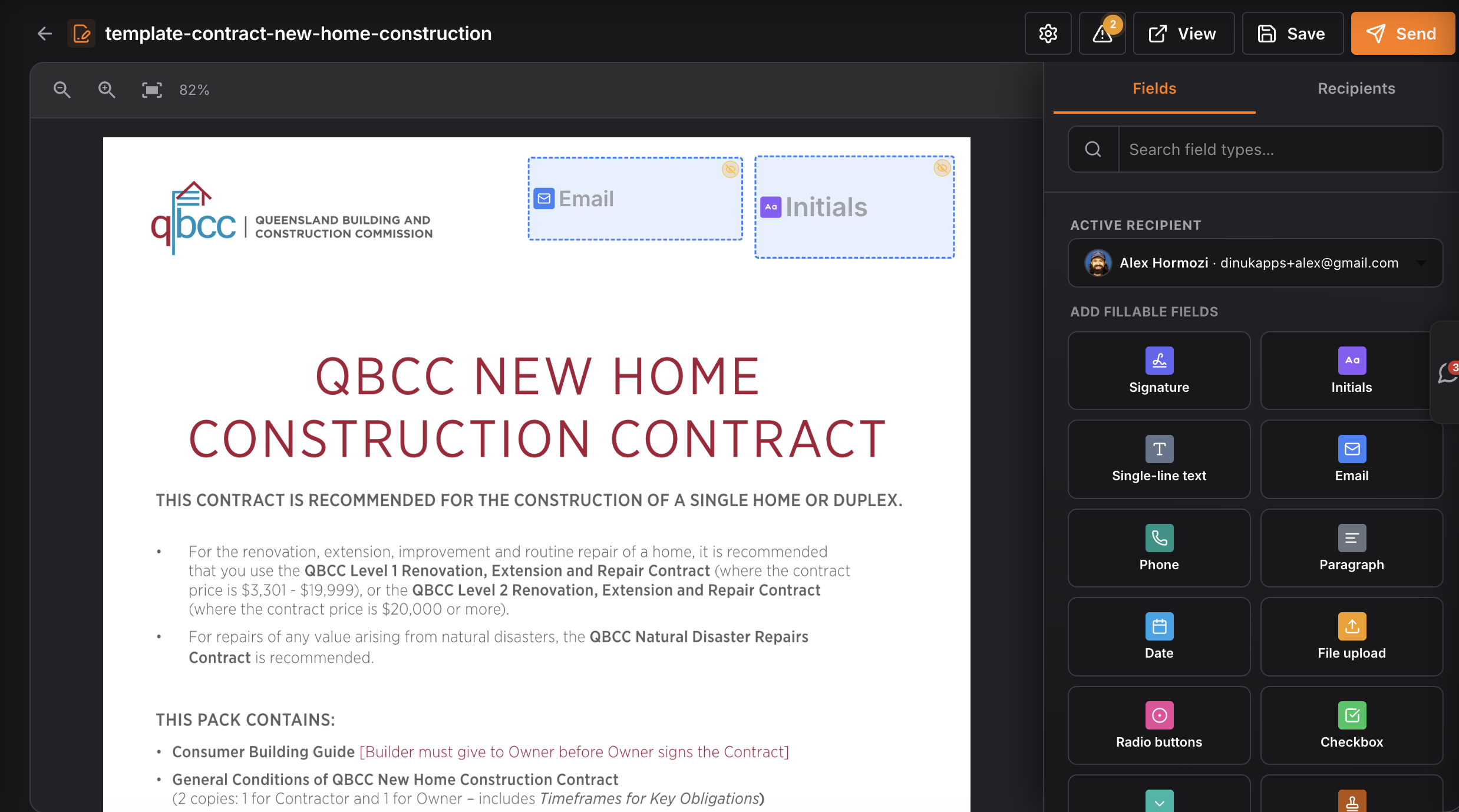
- Use pre-built templates or upload your document.
- Fill in recipient email and custom fields.
- Hit 'Send' and let Ninja DocSign handle the rest.
- Track Document Status and Follow-Ups:
- Check contract status in real-time.
- Set automatic reminders for unsigned contracts.
- Move the deal to the next stage once signed.
Integrating Document Signing with Your Existing Workflows
Ninja DocSign integrates seamlessly into your sales workflow:
- Linking Document Signing with CRM Automations:
- Automate contracts by linking with CRM automations.
- Set triggers for sending contracts based on deal stages or client actions.
- Setting Up Reminders and Follow-Ups for Contracts:
- Use NinjaPipe's reminder feature for slow signers.
- Automate follow-up emails to keep the process moving.
- Using Booking Pages for Seamless Client Interactions:
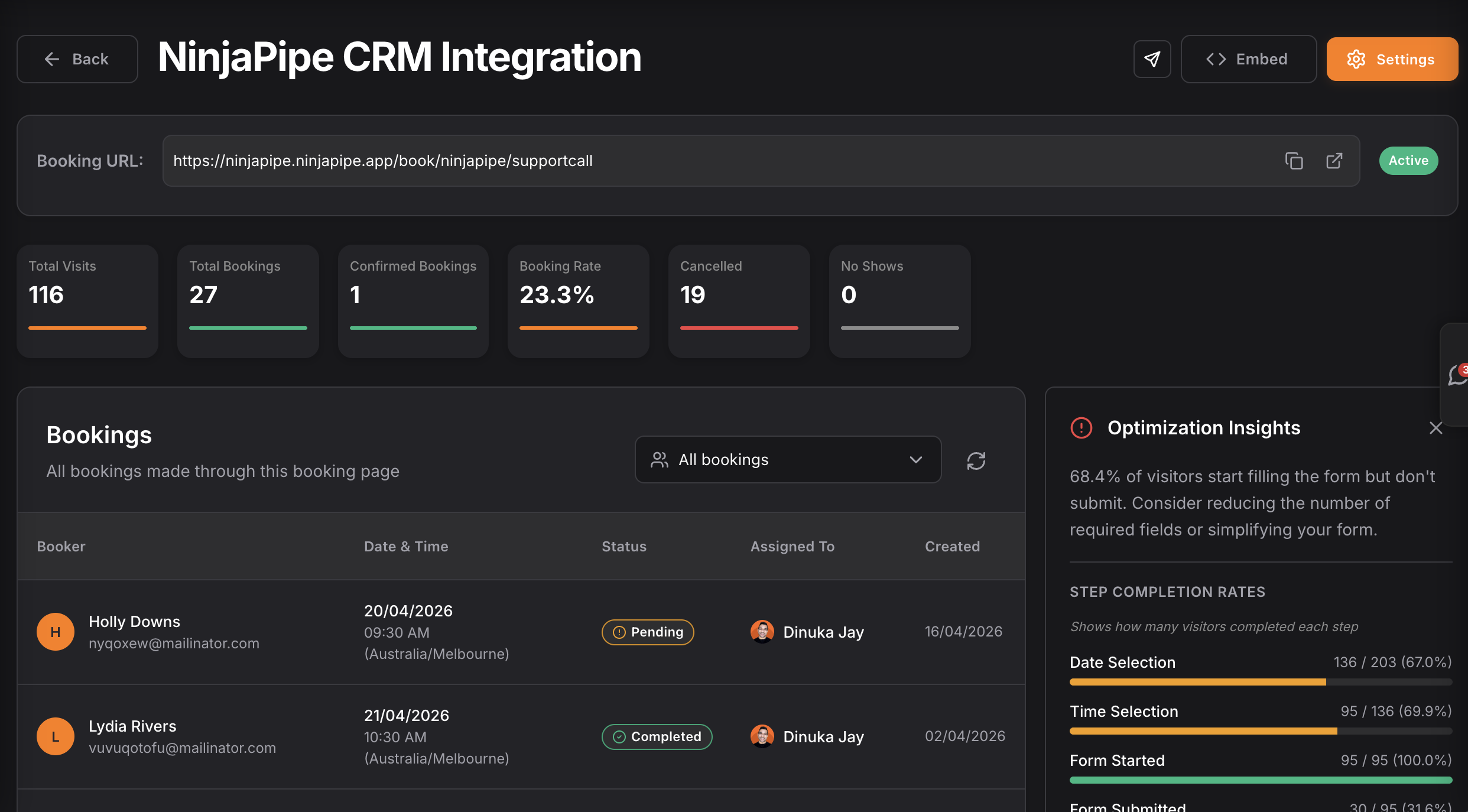
- Integrate with Booking pages to schedule meetings and send contracts in one go.
Real-World Scenarios: When to Use Ninja DocSign
Practical scenarios where Ninja DocSign shines:
- Sending Contracts After Client Meetings:
- Send the contract before the client leaves the room.
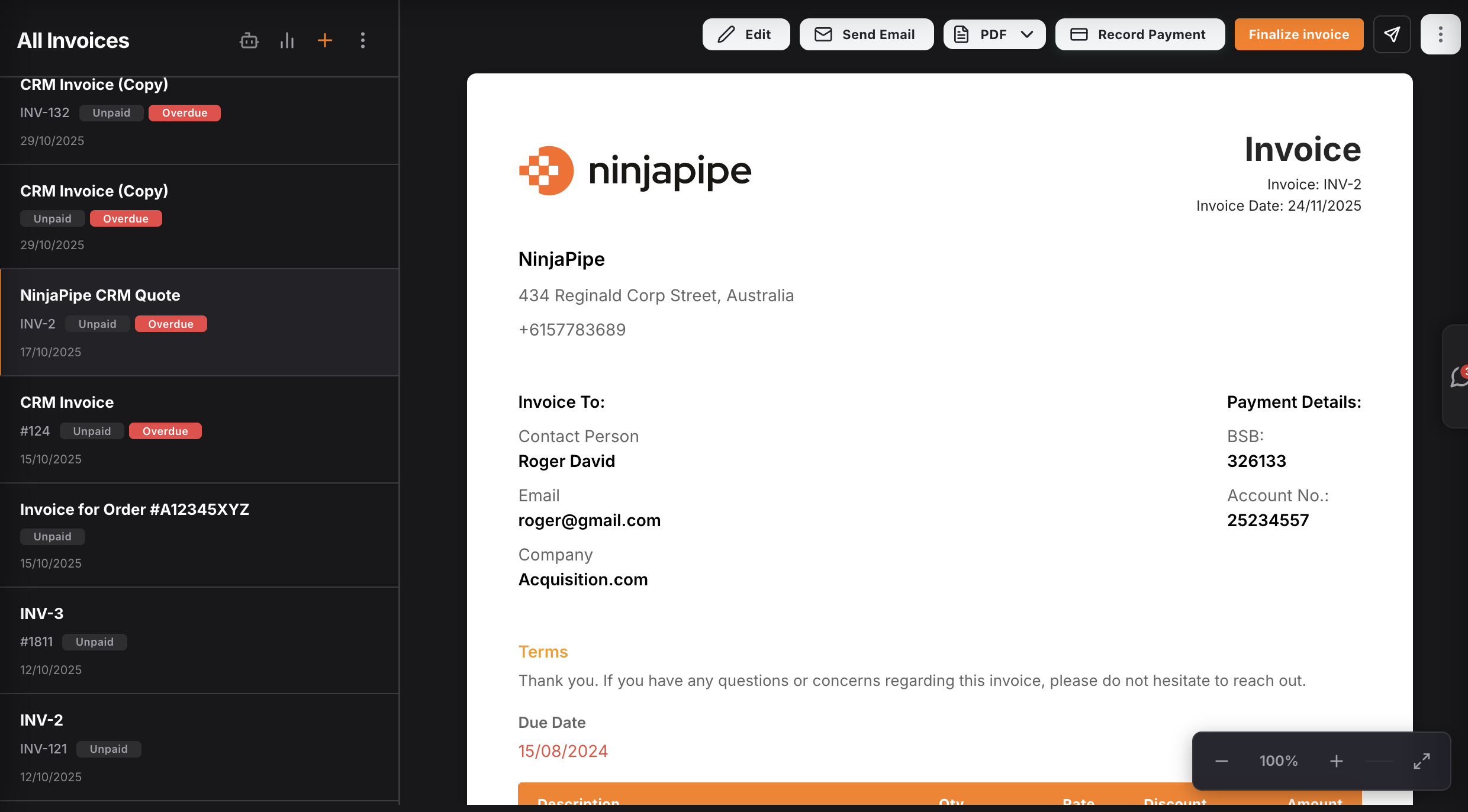
- Managing Invoices and Agreements in One Place:
- Handle invoicing and agreements with NinjaPipe's unified inbox.
- Streamlining Onboarding Processes for New Clients:
- Send welcome packets and contracts in one go, speeding up onboarding.
Comparing Ninja DocSign with Other Document Signing Solutions
Here's how Ninja DocSign stacks up:
| Feature | Ninja DocSign | Other Tools |
|---|---|---|
| Cost-Effectiveness | Start free with no credit card | Often requires upfront fees |
| Ease of Use | Integrated within your CRM | Requires switching platforms |
| Integration | Connects with all NinjaPipe features | Limited functionalities |
Ninja DocSign offers a more integrated, cost-effective solution compared to standalone tools with hidden costs and limited integrations.
Frequently Asked Questions about CRM Document Signing
What types of documents can I sign with Ninja DocSign?
You can sign contracts, agreements, and invoices directly within NinjaPipe.
Is Ninja DocSign secure?
Yes, Ninja DocSign uses industry-standard encryption to ensure your documents are safe.
Can I track who has signed my documents?
Absolutely! Ninja DocSign provides real-time tracking of document status and signatures.
Start free → ninjapipe.com