

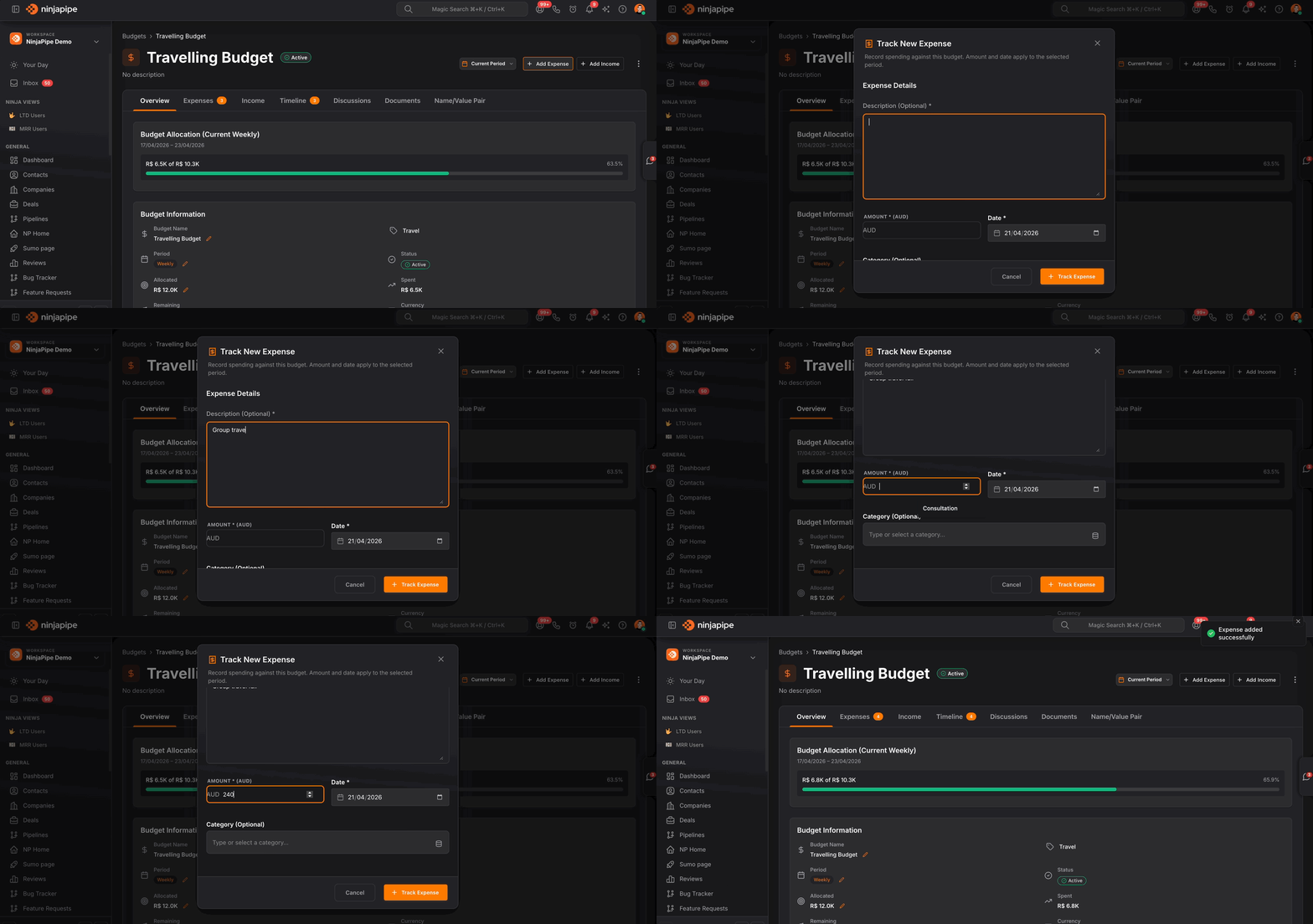
More
Budgets that roll up spend, allocation, and utilization in real time.
Create workspace budgets by department or initiative, set monthly, quarterly, or yearly cycles, then watch allocated, spent, and utilization metrics for any date range, export the numbers, and plug automations into the same system.
Finance visibility without a separate FP&A tool.
The budget hub is built for operators who need honest rollups: pick a reporting window, filter by category, and see whether teams are inside their envelopes before quarter-end surprises.
At-a-glance health
Summary tiles for counts, allocation, spend, and utilization
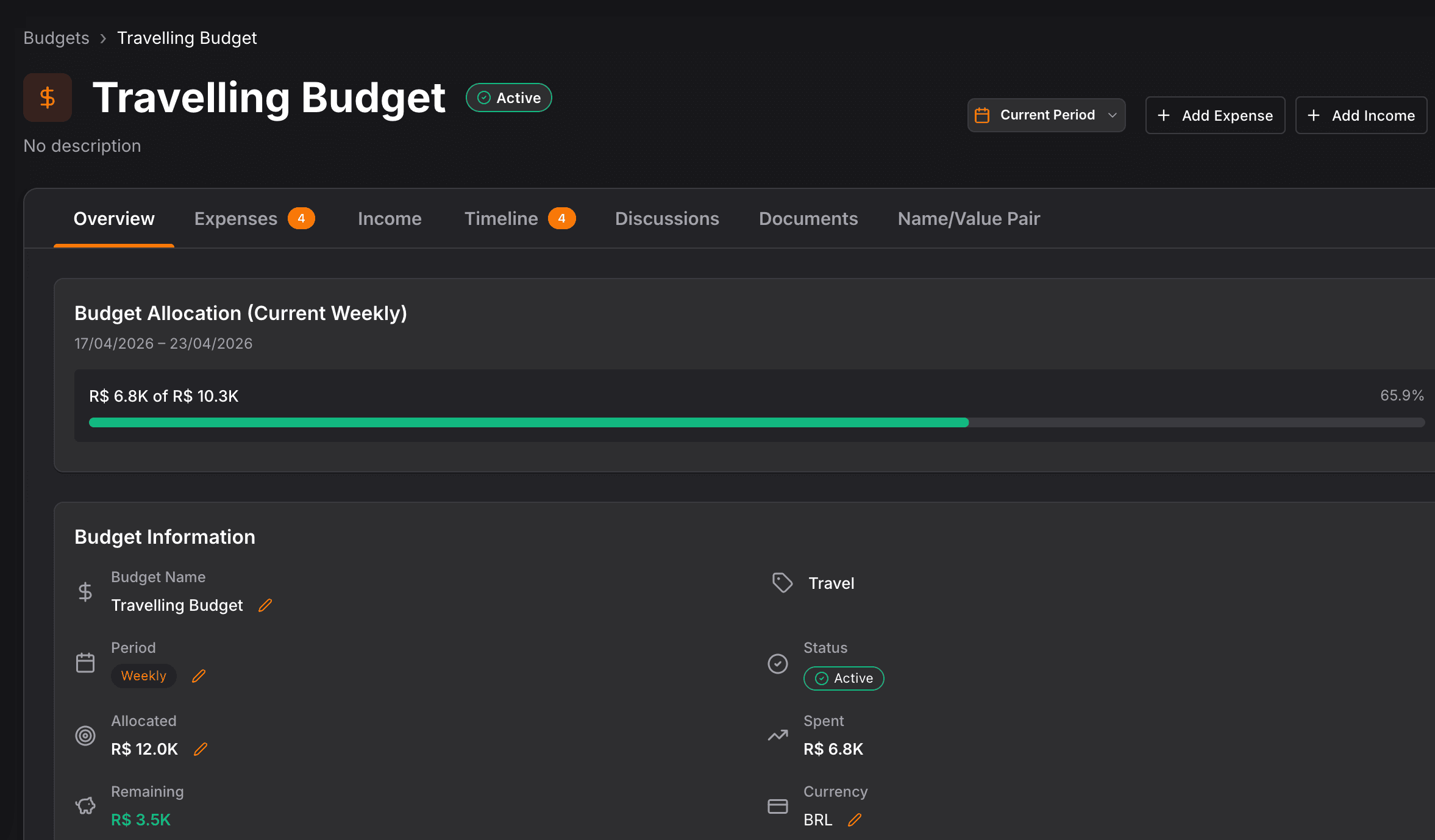
The top of the page answers the executive question first, how many budgets are active, how much is committed, what has been consumed, and average utilization, computed for the period you are viewing, not a stale export.
Structured by how you run the business
Categories, cadence, and branded cards per budget
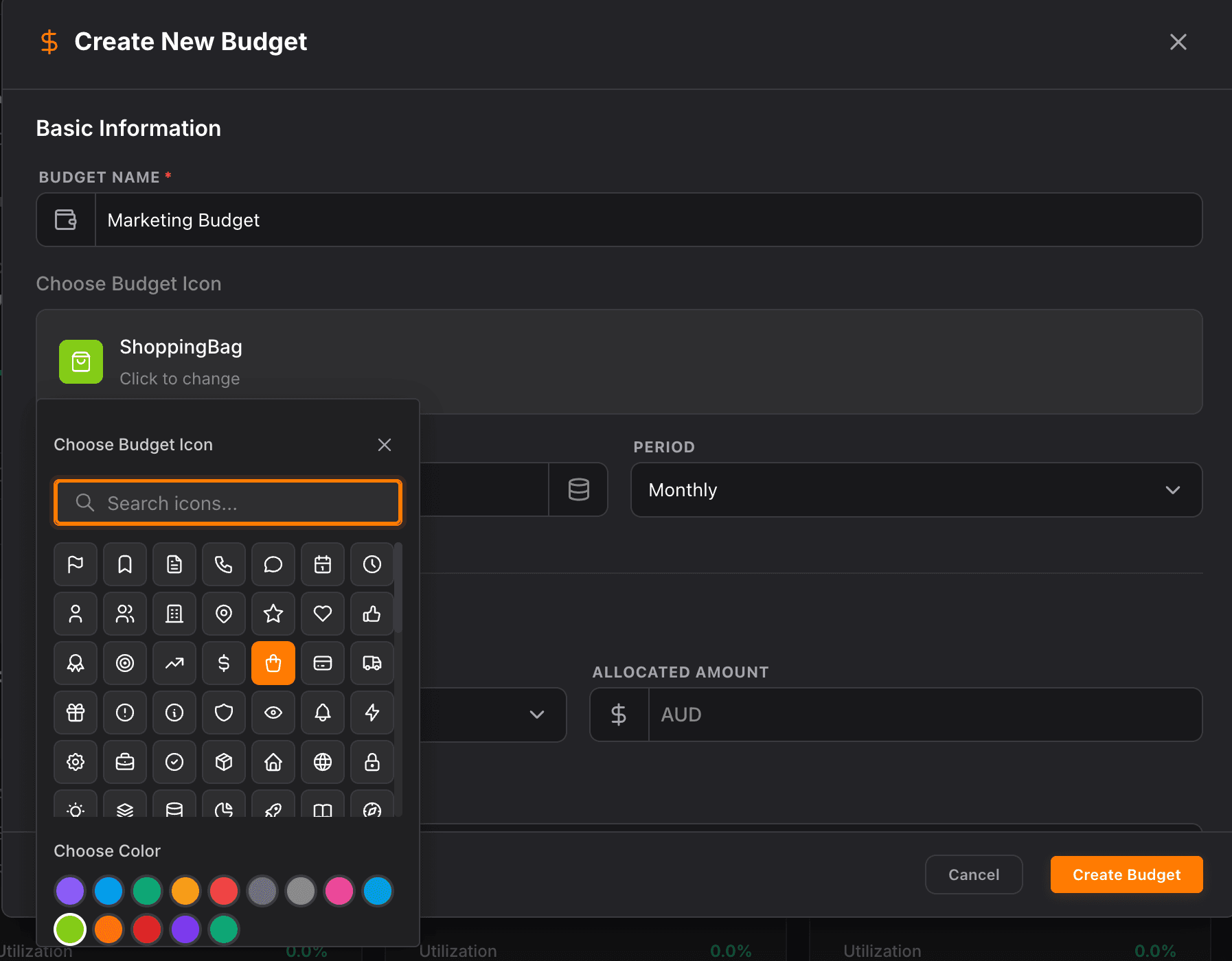
Tag budgets to Marketing, Sales, Operations, or your own taxonomy, choose monthly, quarterly, or yearly cycles, and give each envelope an icon and color so the board reads like a portfolio, not a single giant spreadsheet row.
Report on your calendar
Preset ranges, custom dates, and category filters
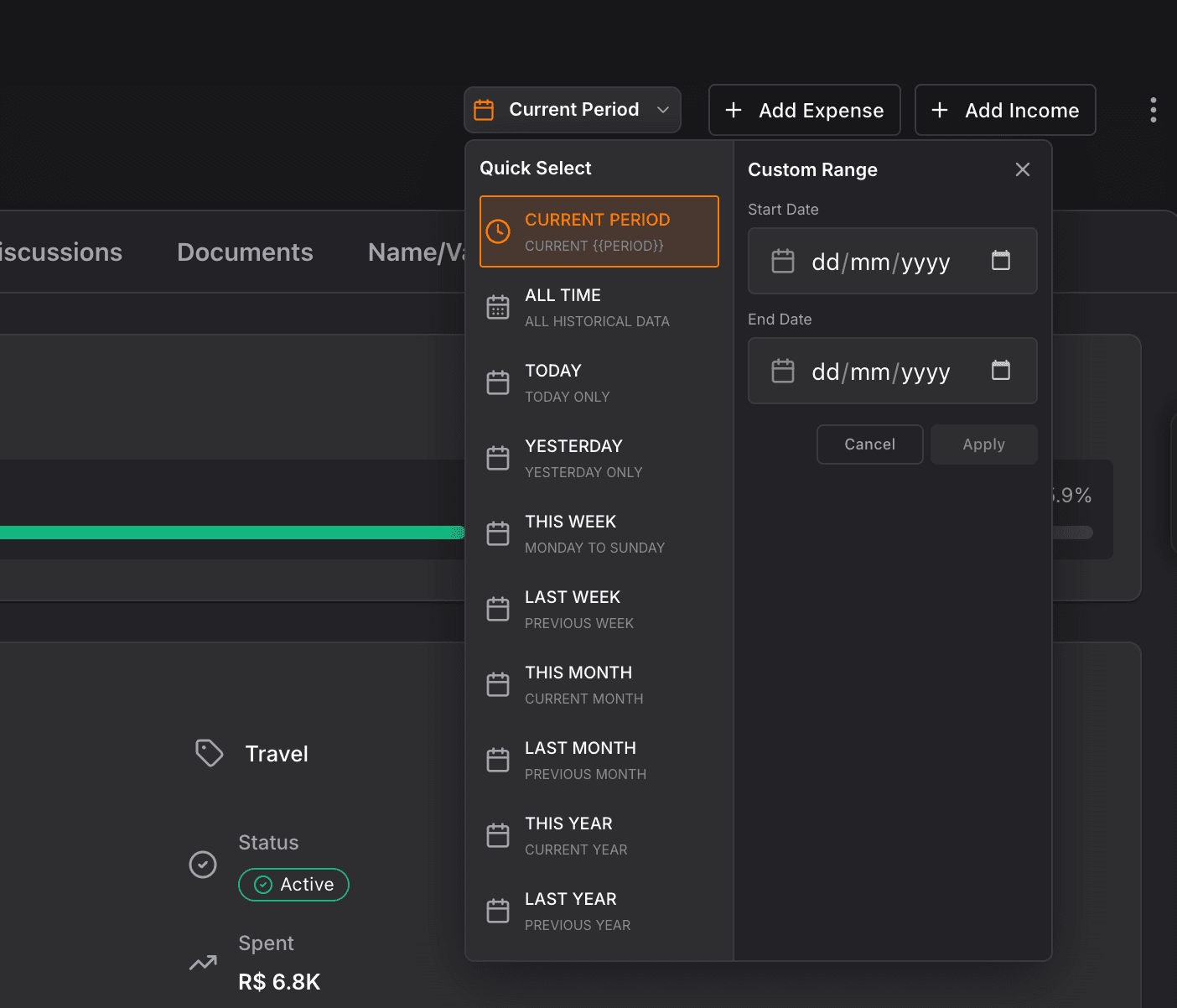
Slice the same dataset by current month, quarter, year, trailing windows, or a custom interval when leadership asks for ad-hoc coverage, then narrow to one department to prep a functional review in seconds.
Take it downstream
CSV and JSON export plus budget automations
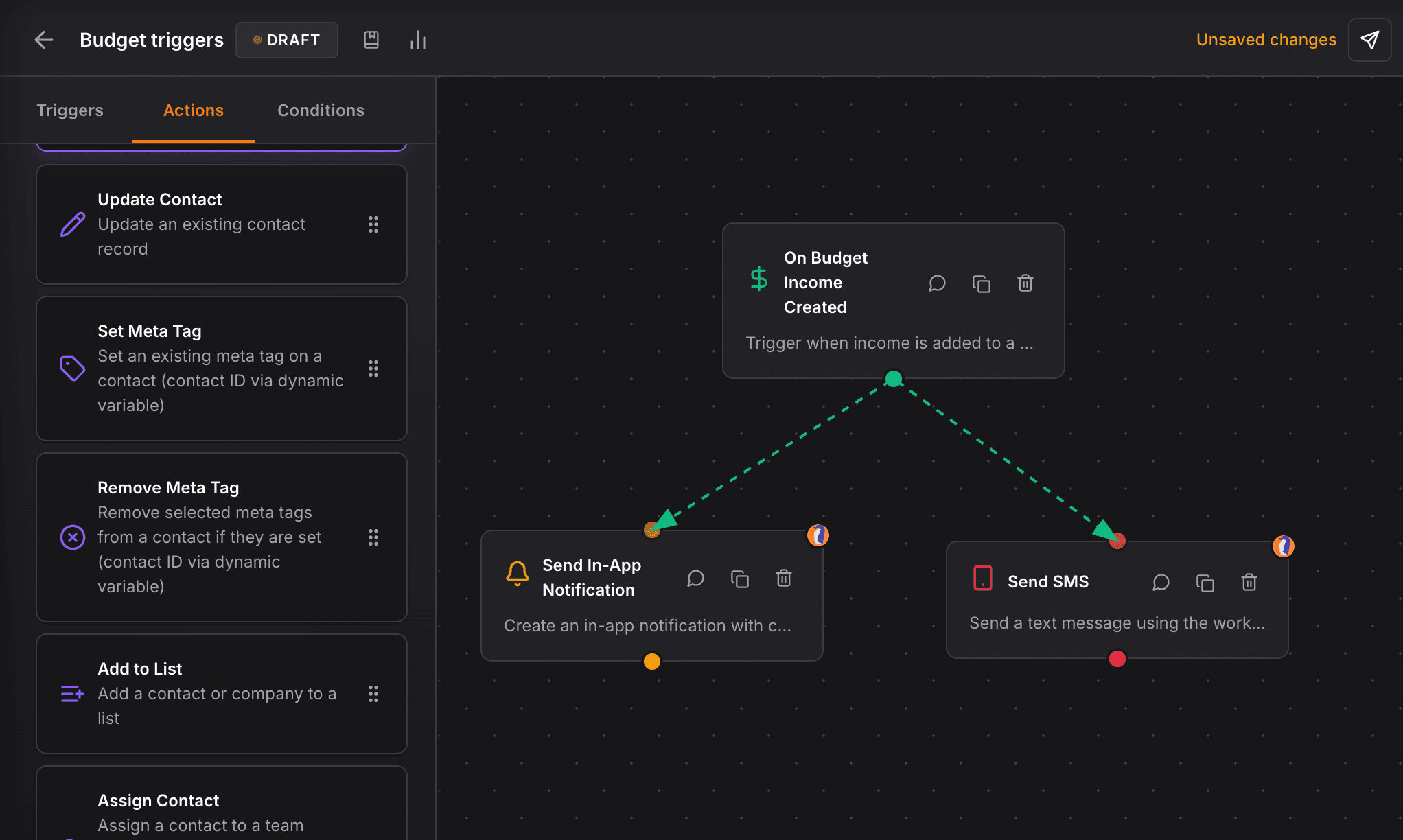
When finance wants the raw rows, export in one click. When the process should run itself, open automations scoped to budgets so thresholds and workflows stay inside your workspace guardrails.
A reliable CRM for my law firm, clear interface, regular updates, and performance that matches how legal practice actually works day to day.


CEO · Leggado.Digital